Your Traktor collection, sorted into playlists you can actually play.
LibMan DJ is a library manager for Traktor. It sorts every track into your own genres, measures its energy from the audio, and writes Warmup, Mid and Floorfiller playlists straight into your collection, ordered along the Camelot wheel.
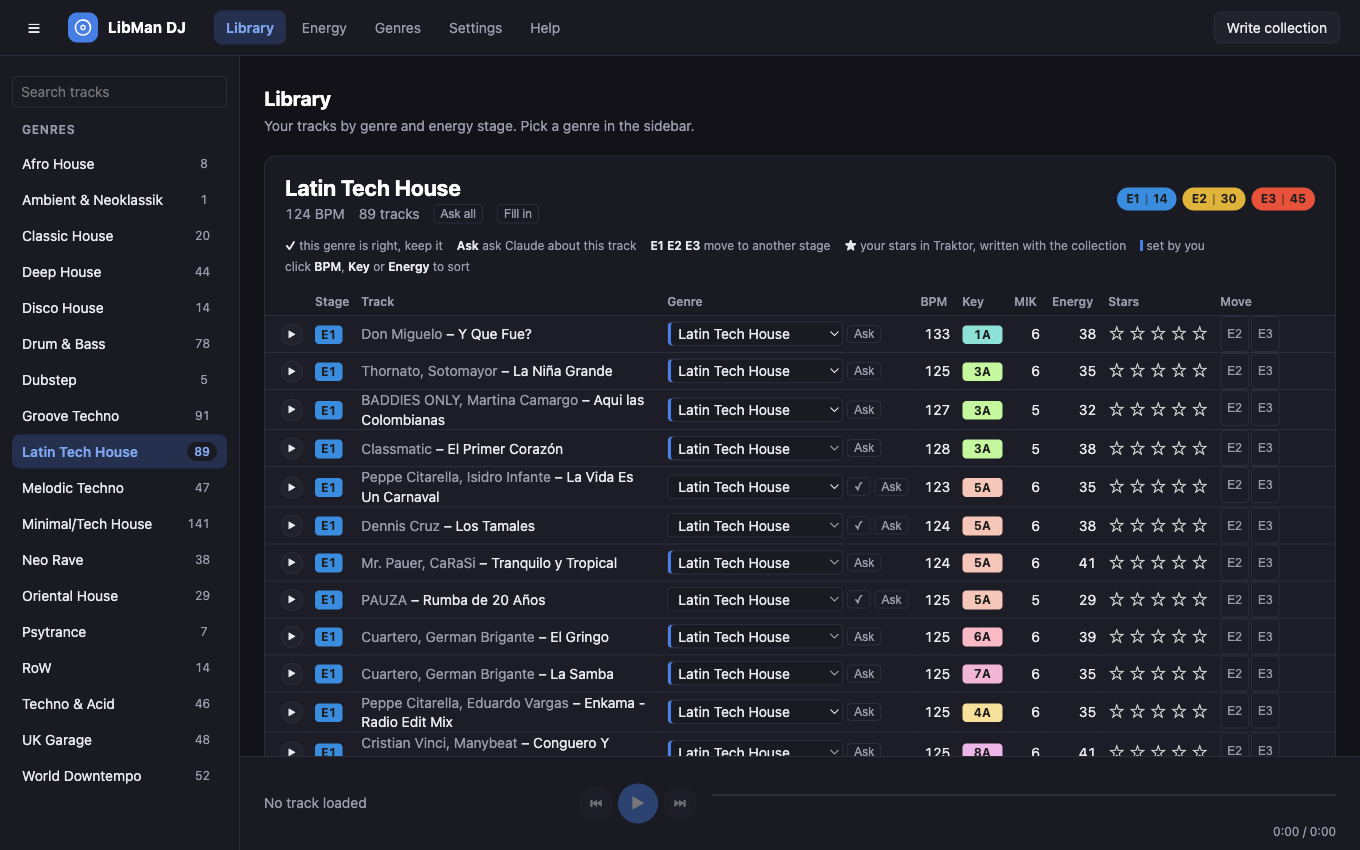
Tags don't make a set. Playlists do.
Most library tools stop at metadata: a key here, an energy number there, a genre copied from a store. You still build every playlist by hand. LibMan DJ goes the last step and hands Traktor a folder of playlists that are already cut by genre, staged by energy and ordered by key.
Your genres, not a store's
You write the genre list and sort three to five example tracks per genre. A language model (Gemini or Claude) learns what you mean by "Deep House" and sorts the rest, backed by Discogs data.
Energy measured, then taught
Energy comes from the audio itself: loudness, kick, percussion, brightness, tempo. Rate a few tracks with keys 1, 2 and 3 and the measurement adapts to what Warmup and Floorfiller mean on your dance floor.
Written into Traktor
One click writes a folder of playlists into your collection: per genre or Mix family, three stages each, sorted along the Camelot wheel so the next track down is one you can mix into.
Built around how a set really moves
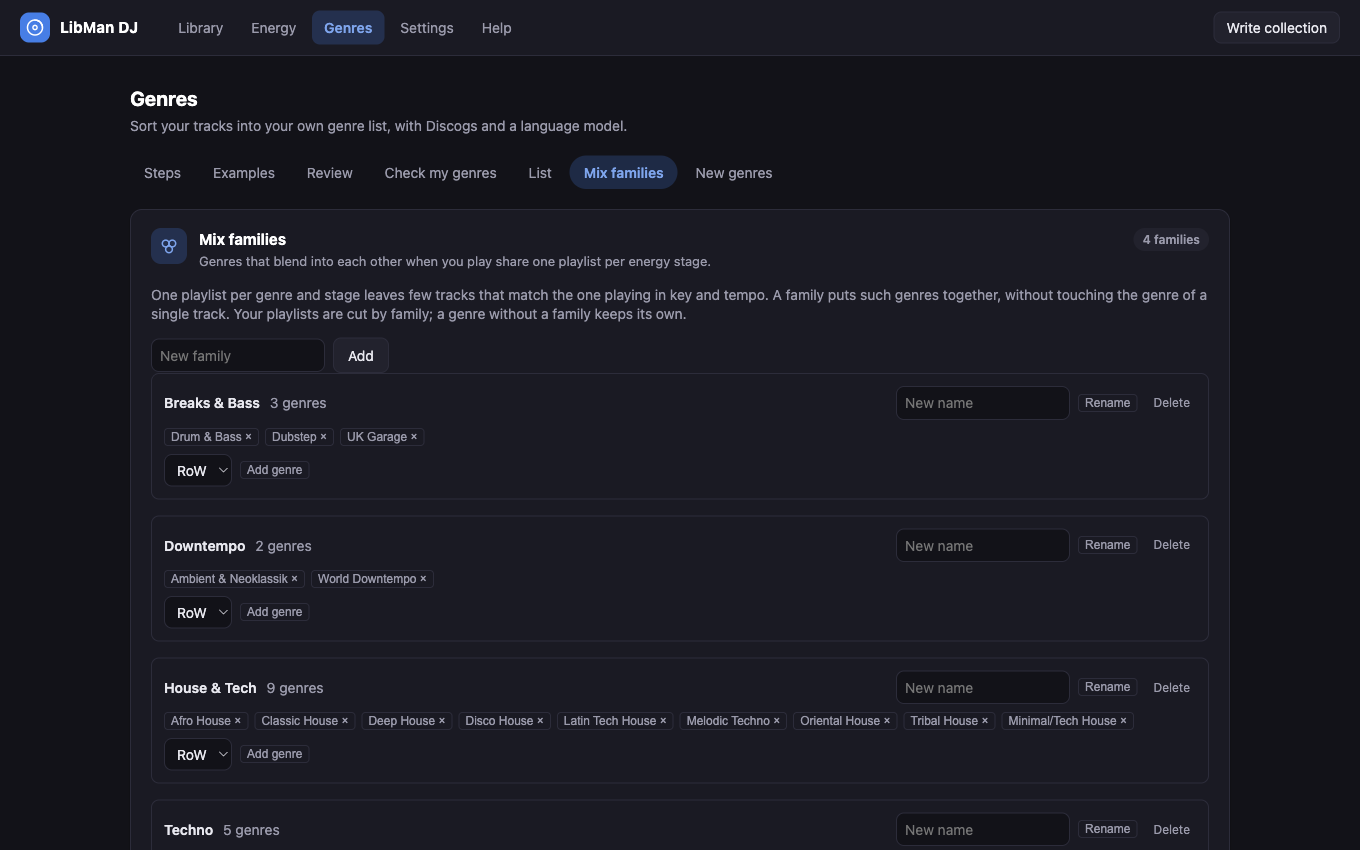
Mix families keep playlists big enough to mix in
Twenty genres times three stages gives sixty small playlists, and a small playlist rarely holds a track that fits the one playing in key and tempo. A Mix family groups genres that blend into each other, so they share one playlist per stage.
- You decide which genres form a family. The genre tag of each track stays untouched.
- Stages are thirds of the whole family, so the ramp from Warmup to Floorfiller runs across all of it.
- A genre too small for its own stages is carried along instead of sitting on the side.
An energy model that learns from your ears
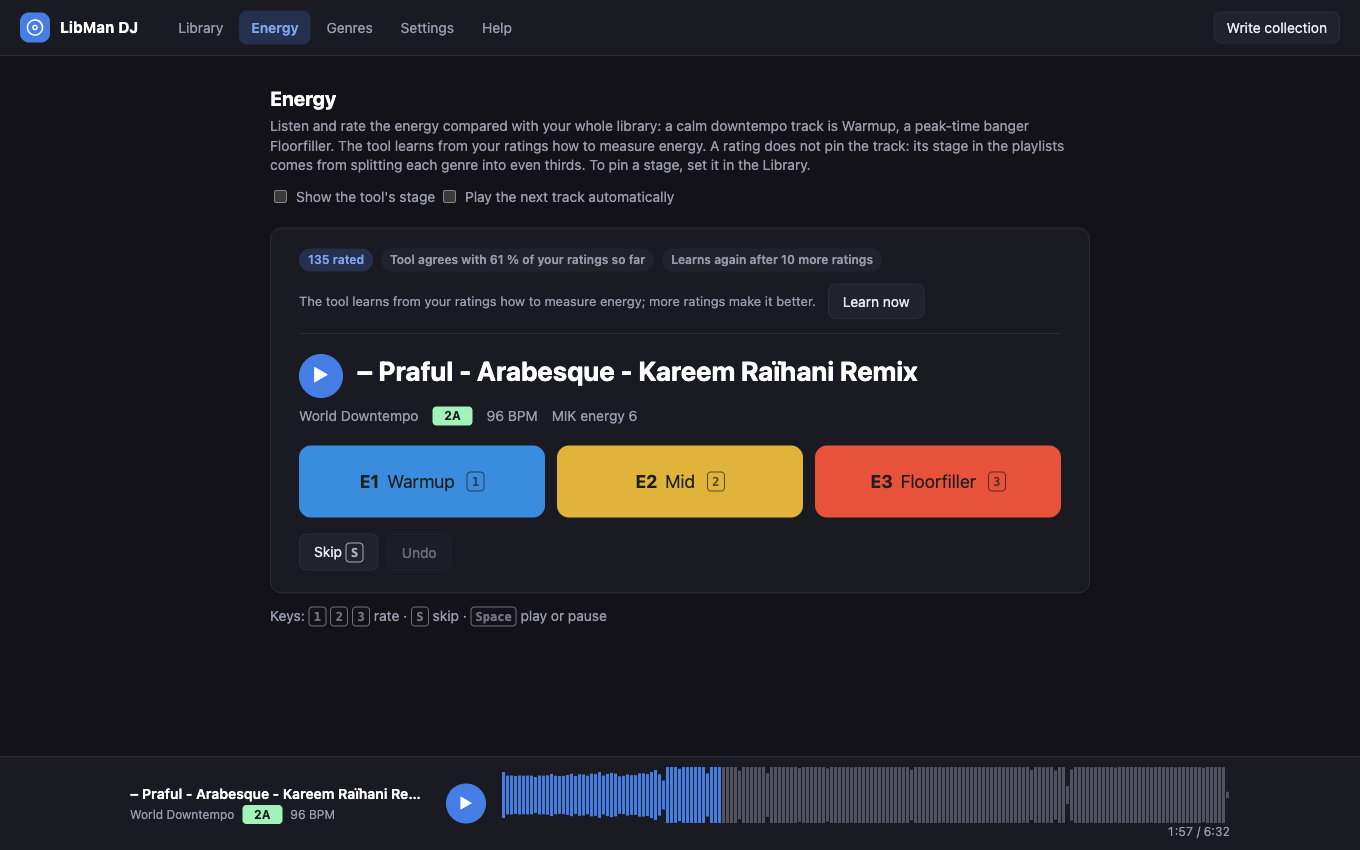
Listen, press 1, 2 or 3. After 30 ratings LibMan DJ starts relearning how much each audio measurement counts, and it tells you how often it agrees with you.
- Stages are relative within each genre or family: the calmest third is Warmup, the strongest third Floorfiller.
- A stage you set by hand stays. The other tracks fill up around it.
- Already use Mixed In Key? Its energy value is read from your comments and counted in.
Nothing is written until you have seen it
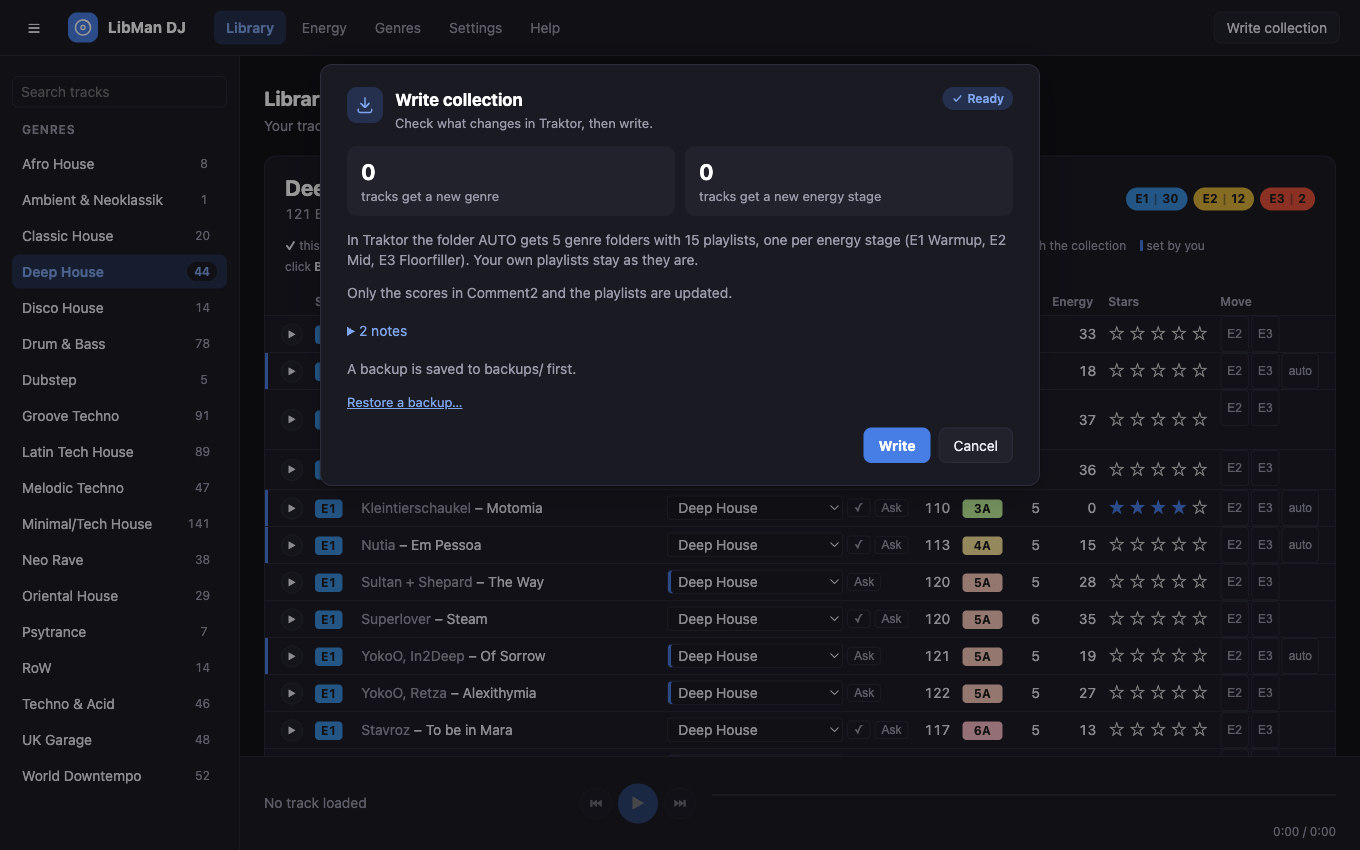
Your collection is years of work. LibMan DJ shows every change before it happens, backs up the collection first and can restore any backup from the same window.
- Changes only the genre, Comment 2, its own playlist folder and the stars you set in the app.
- Cue points, beatgrids, comments and your own playlists are never touched.
- The collection file is patched in place, never rewritten from scratch.
Open the folder. Play down the list.
Folders start with the median BPM and run from slow to fast, so you see at a glance what fits the current tempo. Start in Warmup, move up to Mid and Floorfiller. If the room doesn't follow, switch to a folder at a similar tempo.
Comment 2 carries stage and score, for example E2 · 058. Sort by it for a fine energy ramp inside a stage.
Illustration of the folder structure. Names follow your genres and families.
From unsorted collection to playlists in four steps
The app leads you through it, and every long run shows its progress, time left and cost, with a Stop button that keeps what is done.
Analyse
LibMan DJ reads your collection and measures each audio file once, about three seconds per track. Later runs only touch new tracks.
Teach your genres
Add the genres you play and sort a few examples for each. Two genres are enough to start; most DJs use five to fifteen.
Let it sort
Discogs lookup plus one model request per track. You see the highest possible cost first, and a cost cap stops the run when it is reached.
Review and write
Check the tracks the model was unsure about, if you like. Then quit Traktor, confirm the changes and write.
How LibMan DJ differs from the tools you know
The established tools are good at what they do, and LibMan DJ works alongside them. It covers the part they leave to you: turning tags into playlists inside Traktor.
| LibMan DJ | Mixed In Key | Lexicon | One Tagger | Traktor alone | |
|---|---|---|---|---|---|
| Main job | Genre and energy playlists for Traktor | Key detection and energy level for harmonic mixing | Library management and conversion between DJ apps | Fetching and editing file tags | Playing; browsing by the tags you have |
| Where genres come from | Your own list, learned from your example tracks by Gemini or Claude, with Discogs data | Not its focus | Cleans up the genre tags you already have | Copied from Beatport, Discogs and other platforms | Typed in by hand |
| Energy | Measured from audio, staged relative to each genre or family, and tuned by your ratings | Energy level from 1 to 10, measured from audio | Energy analysis in paid plans | Tagged by hand, or values taken from Spotify | None |
| Warmup, Mid and Floorfiller playlists per genre | Written into Traktor automatically | Tags and sorting; playlists are up to you | Rule-based smart playlists you define | No playlists | Built by hand |
| Mix families (related genres share playlists) | Yes | No | No | No | No |
| Playlists ordered along the Camelot wheel | Yes, using Traktor's own key analysis | Detects the key; ordering is up to you | Sort by key yourself | No | Sort by key yourself |
| Preview of every change, with backup and restore | Yes, before each write | Writes tags to your files | Syncs its library to your DJ app | Writes tags to your files | Not applicable |
| Pricing model | One-time purchase (planned), two options | One-time purchase, Standard and Pro editions (about €58 and €99) | Subscription from $10.49 a month, or lifetime from $249; free tier for conversion | Free and open source | Included |
Comparison as of November 2026, based on each vendor's public product information; features, plans and prices may have changed since, and the Mixed In Key prices are list prices reported in reviews. Where the others are stronger: Mixed In Key is the reference for key detection, Lexicon converts libraries between DJ applications and finds duplicates and cue points, and One Tagger is free. LibMan DJ needs none of them and gets along with all of them.
Clear about what leaves your Mac
Audio never leaves your computer
The energy analysis runs locally. The language model receives text only: artist, title, album, year, BPM, length, Discogs data and your genre list. No audio files, no file paths.
Costs are shown before they happen
Every model run shows an estimate first and stops at a cost cap you set. Results you have paid for are kept, and a stopped run continues where it stopped.
Keys stay in the macOS keychain
If you use your own Gemini or Claude key, it is stored in your Mac's keychain, never in a file.
Backups before every write
The last ten collections are kept, plus the one from before your very first write. You restore one from the same window you write from.
Your corrections win
A genre you set yourself is fixed, in the app or later in Traktor. The next run keeps it and uses it as an example for the model.
Handles a renamed drive
Moved your music to another disk? LibMan DJ notices the duplicate entries Traktor creates and carries your analyses and genres over.
Before you sign up
What do I need to run it?
A Mac with Apple Silicon and macOS 14 or newer, and Traktor Pro with its collection on that Mac. LibMan DJ has been tested with Traktor Pro 3.11 and a library of around 1,300 tracks. There is no Windows version at this time.
Do I need Mixed In Key?
No. Keys come from Traktor's own analysis and are shown in Camelot notation. If your comments contain Mixed In Key energy values, they are used as one more measurement.
How accurate is the genre sorting?
It depends on how distinct your genres are and how good your examples are, and the app is open about it: a built-in test run lets each model guess the genres of your own example tracks and shows how often it was right and which genres it mixes up. Tracks the model is unsure about go to a review queue, and whatever you decide there sticks.
Does it change my existing playlists, cue points or beatgrids?
No. LibMan DJ writes the genre, Comment 2, its own playlist folder, and the stars you set in the app. Optionally it also writes the genre into the tag of the audio file so Traktor finds it again after a move. Everything else stays as it is. Note that the first write replaces the genres in Traktor with the new ones; the old ones are saved to a CSV file.
Can I buy it today?
Not yet. Leave your email address and you will get one message when it is available. The planned pricing is already published.
Be told when LibMan DJ is ready.
The app is in private testing and not on sale yet. Leave your address and you will get a single email on launch day.